
Your class in focus
Filter your classes, set your car as focus car and compare every sector with the class best.
Home / Solutions / Nürburgring Pack / Live Timing
Nürburgring Pack · Race
Follow every class, every car and every strategy while the race runs.
Live Timing follows the official timing of the NLS sessions and turns it into a race engineer's view: the whole field and every class sector by sector, your own car in focus, and the stints, drivers and stops of every rival. The 24h Nürburgring follows from April 2027.
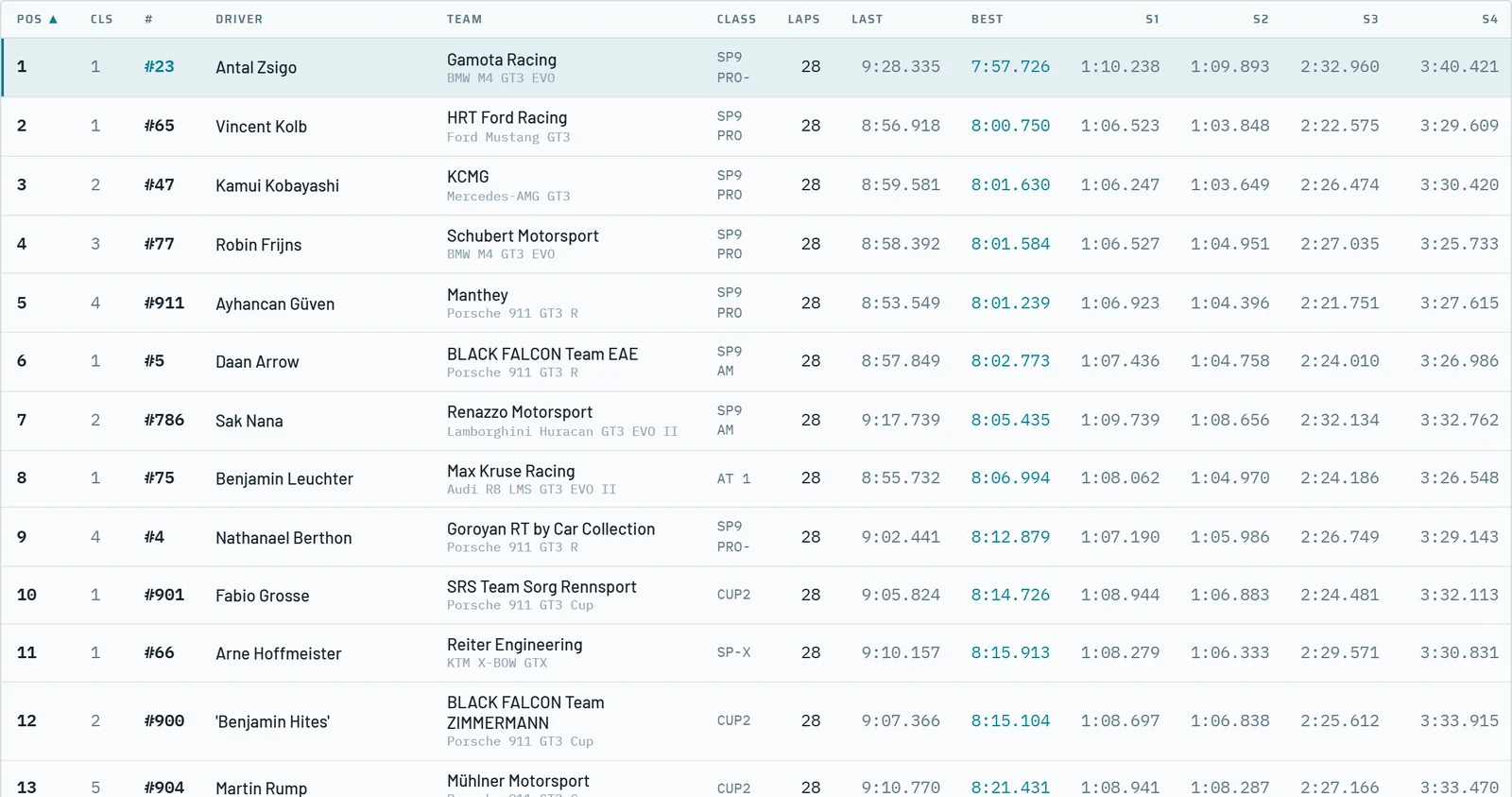
The leaderboard shows the whole field in running order with the class position, the driver in the car, the last and best lap and the sectors of the lap in progress, which fill sector by sector and clear at the line.
Filter one class or several classes at once, search a start number, driver or team, and sort on any column.
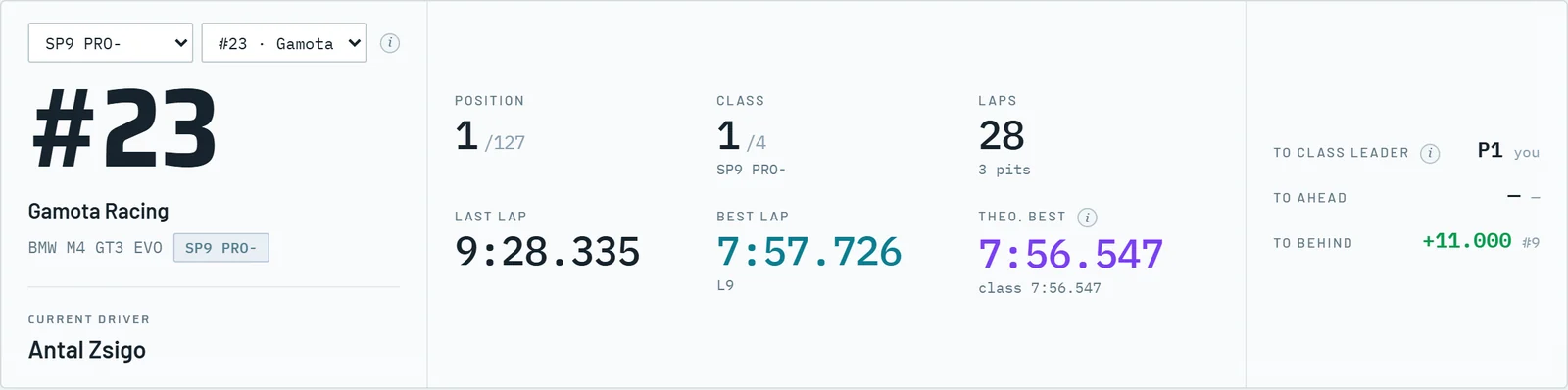
Pick your car once and Live Timing follows it on every tab. The focus view shows the position, the class position, laps and stops, the last and best lap and the theoretical best of the car next to that of the class.
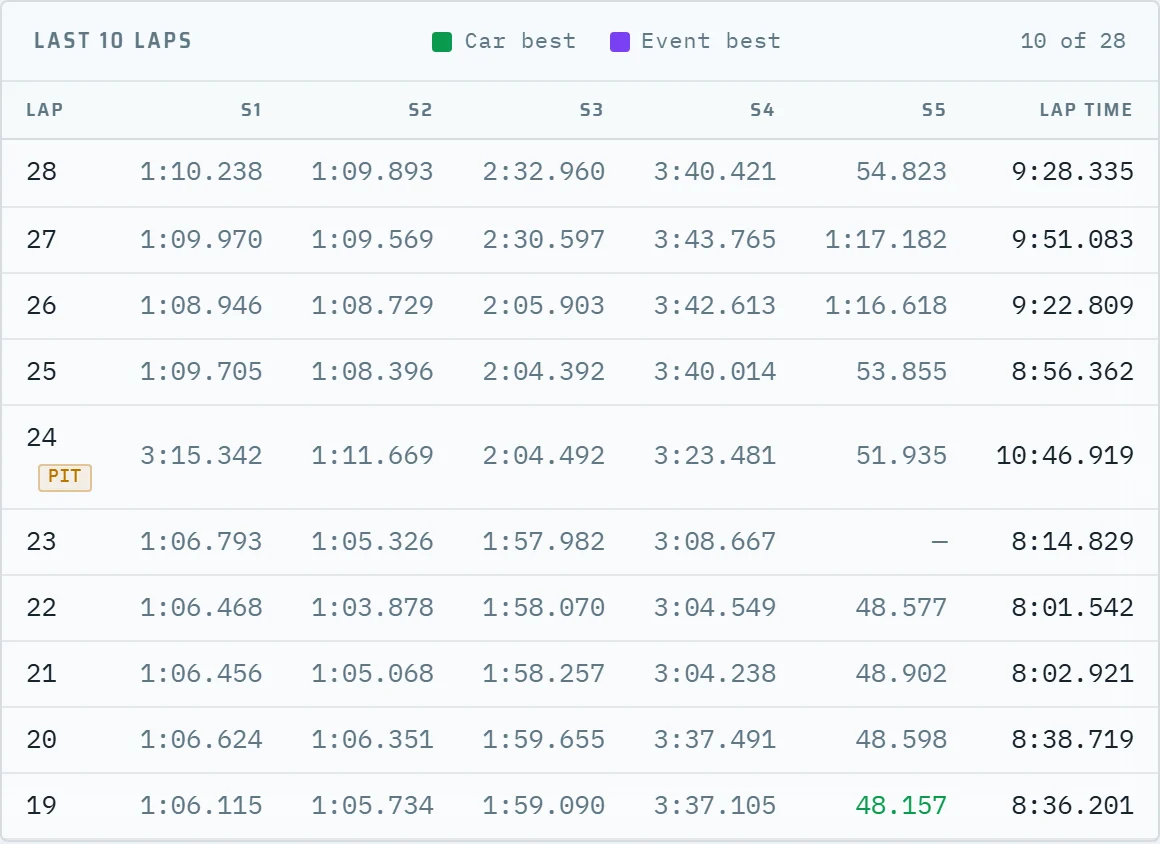
The last ten laps with their sector times and the class rivals within two positions sit underneath, and one click on a rival makes that car the focus car.
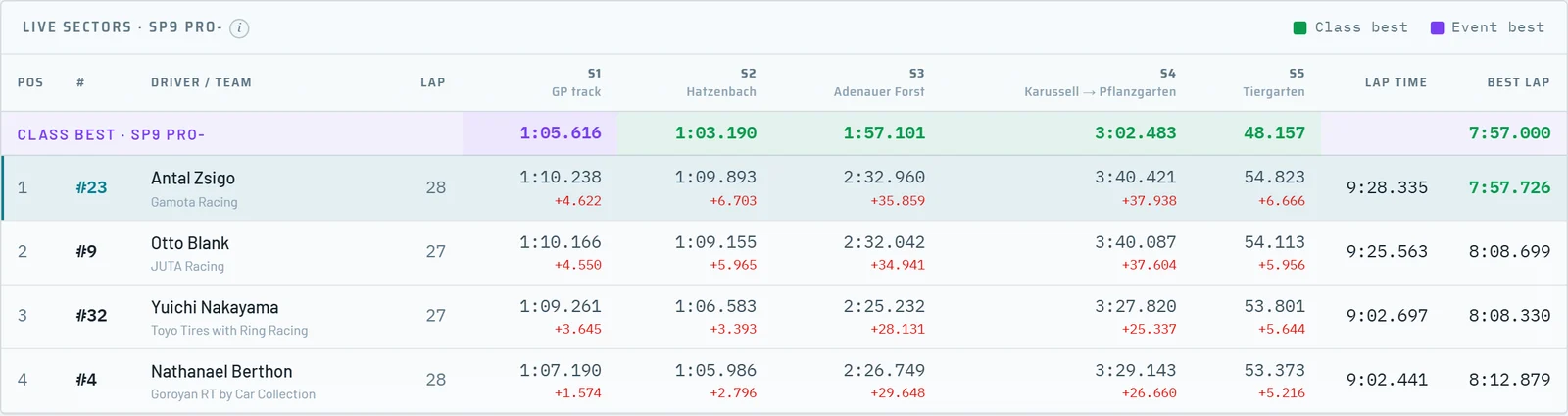
The sector board lists every car in the class of your focus car with the sectors of its current lap. The top row holds the class best per sector, including laps still in progress, and every other time shows its difference to that best.
Below the board, the last three laps of every class car show who is finding time and who is losing it.
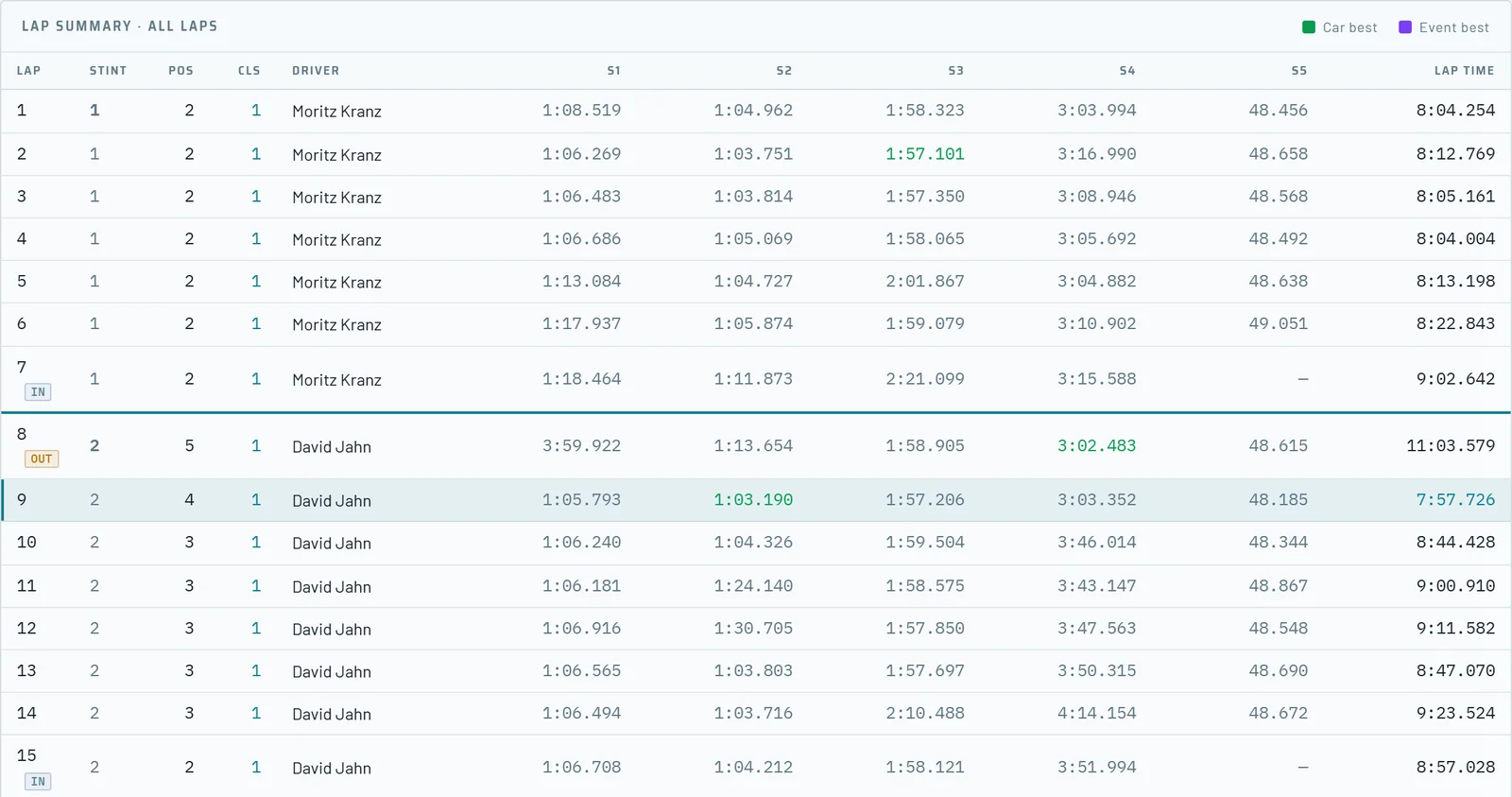
Lap history shows any car of the field lap by lap: the lap-time chart, and for every lap the stint, the driver, the position overall and in the class, and the sector times.
In-laps and out-laps are marked, so the stint schedule of a rival and its driver changes are visible while the race is still running.
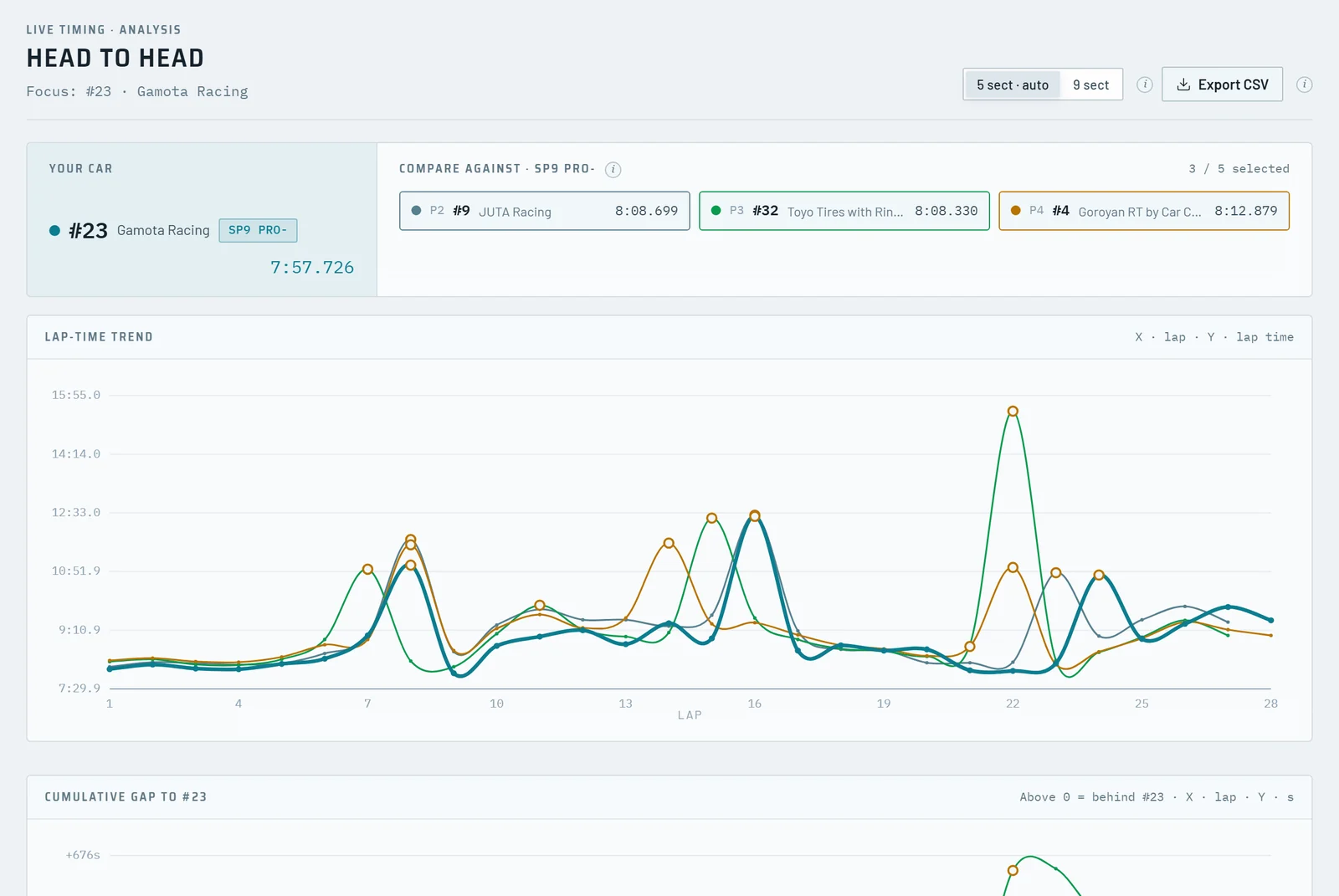
Compare your car with up to five class rivals. Stint9 pre-selects the three best-placed rivals, and you add or remove cars with one click.
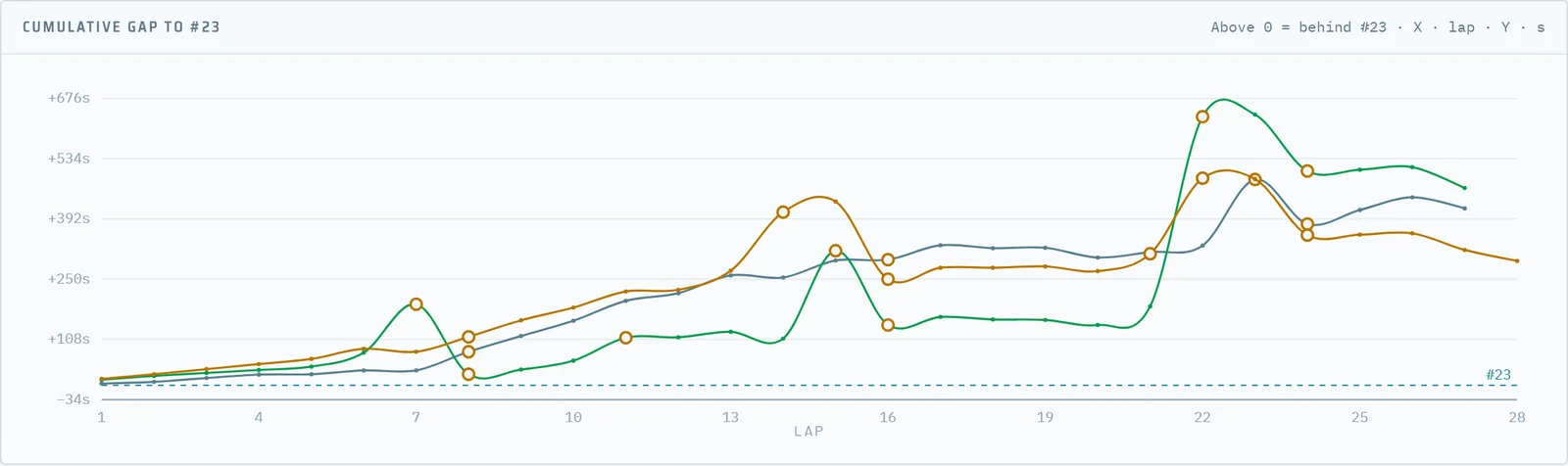
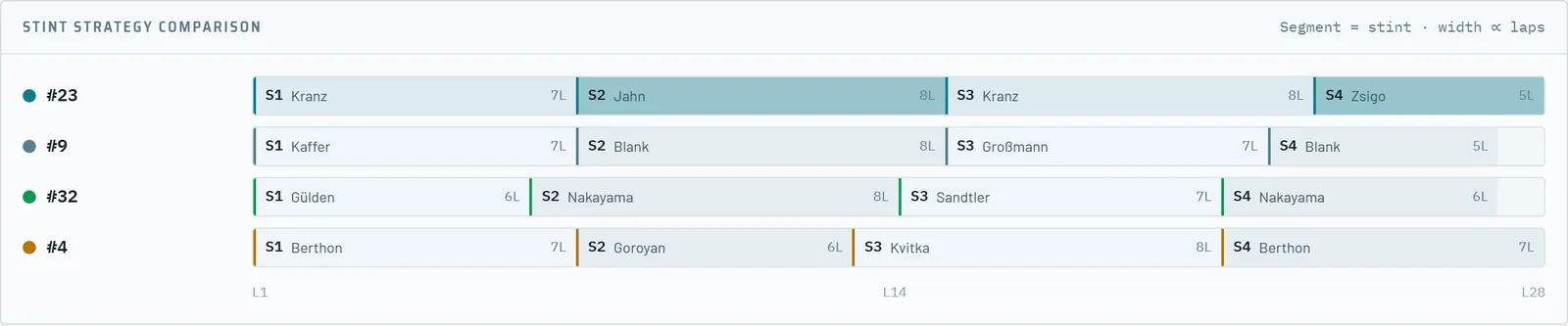
The cumulative gap shows per lap whether you are gaining on each rival, the lap-time trend shows whether that comes from pace or from a pit stop, and the stint comparison lays the strategies side by side: stint lengths, drivers and the number of stops.
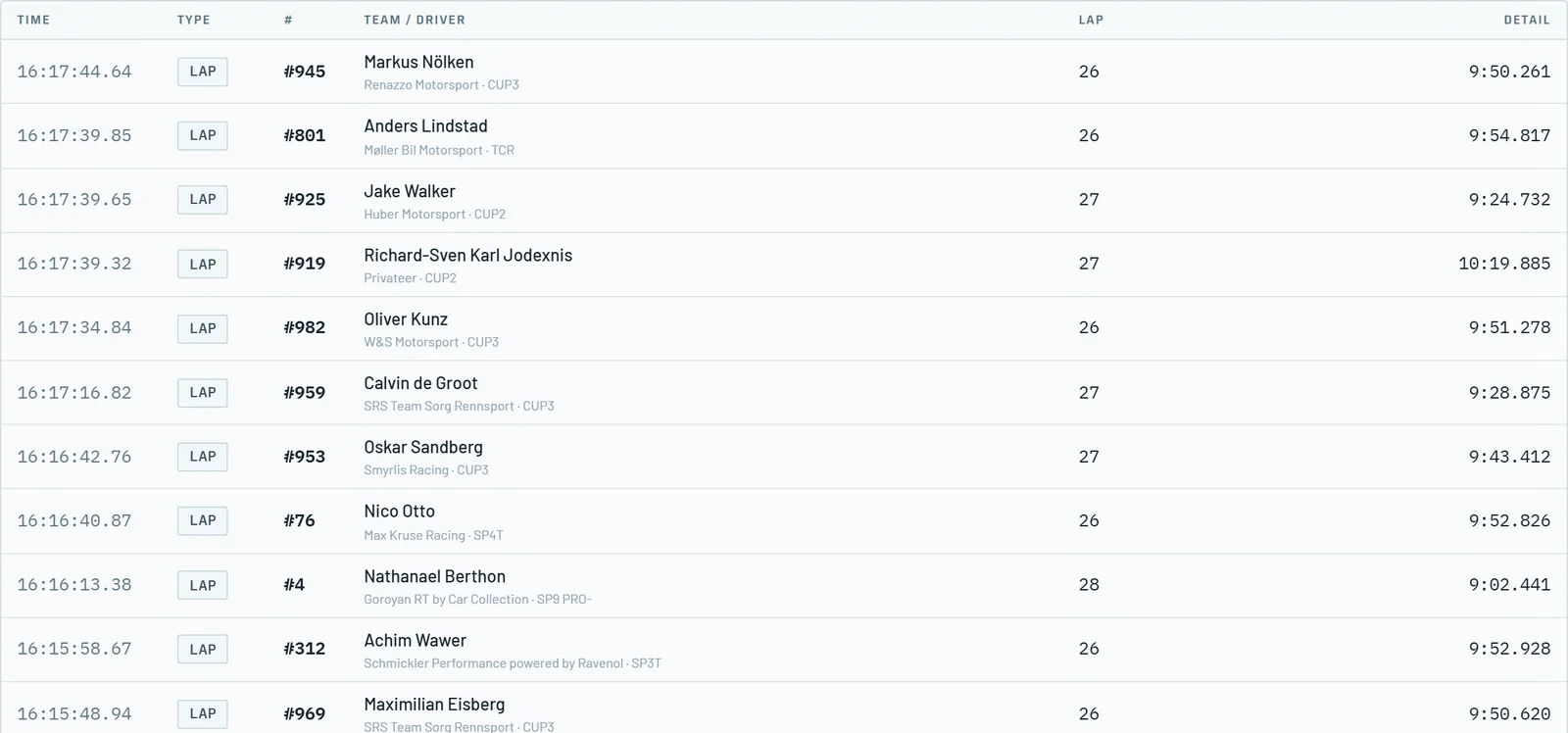
The event log lists the completed laps and the pit stops of the whole field, newest first, with the standing time when the source provides it.
Filter on laps or pit stops, and on the whole field or your focus car only. One click on a row makes that car the focus car.
What the official timing does not show
The official timing shows positions and lap times. Live Timing adds the views a team needs to make decisions during the race.
Filter your classes, set your car as focus car and compare every sector with the class best.
Stints, drivers and stops of every car, lap by lap and side by side in Head to head.
The cumulative gap shows who gains, and the lap-time trend shows why.
After a connection drop Live Timing reconnects and fills in the laps and stops it missed. Opening it mid-race loads the complete lap history first.
Works together
Nürburgring Pack
Live Timing is part of the Nürburgring Pack, together with the Race Planner, Post-race Analytics and the Competitor Database.